
Website Creation
Websites your marketing can run on
Most websites are template-pretty and broken under the hood. We build sites that load fast, turn visitors into booked jobs, orders or signups, and don't break the moment you point ads at them.
What we build in
WordPress and Elementor as the build foundation. Tag Manager and server-side tagging baked in so the marketing layer is ready from launch.



Why most service-business websites underperform
Three patterns we see often in sites that come to us for a rebuild. Each one is a foundational design choice, not a styling problem.
Pretty on launch day, broken when marketing starts
Sites built without thinking about how marketing will use them. No tracking infrastructure, no integration with the ad platforms, no path from form submit to CRM. Marketing inherits a beautiful liability.
Conversion-blind information architecture
Designs built around what the founder wants to say, not around what the buyer is trying to figure out. Service pages that bury the actual service three scrolls deep, contact pages with eight required fields, navigation that hides location selectors.
Page speed and Core Web Vitals as afterthoughts
Themes loaded with plugins, hero videos that block first paint, unoptimized images that haven't been touched since launch. Google penalizes slow sites; users bounce before the page renders.
How we build sites
Three things we treat as non-negotiable on every site we ship. The pillars are what separates a site that looks good from a site that performs.
Conversion-focused information architecture
Search intent
Above-fold answer
Service detail
Booking action
Information architecture follows the buyer's decision flow.
Performance and Core Web Vitals as a non-negotiable
Every build designed with Core Web Vitals in mind.
Tracking wired in at build, not retrofitted
- Conversions API + lead-quality routing
- Server-side tagging (Stape, sGTM)
- Call tracking + form-to-CRM wiring
- Tag Manager + GA4 instrumentation
- Default WordPress install
What we layer in plus the default that ships with most builds
How a build runs
Front-loaded discovery and architecture work, focused build, ongoing care. Same backbone for every project; sized to the scope.
Step 01
Discovery
We map your service mix, location footprint, and the buyer journey we're designing for. We audit the current site if there is one, and identify the SEO equity worth preserving so the new build doesn't break what's already working.
Step 02
Architecture and wireframes
Site map, navigation, page templates, conversion-path design. We agree on the structural decisions before any visual work happens, because architecture mistakes are expensive to fix later.
Step 03
Design and build
Visual design, copy collaboration, build in WordPress and Elementor with Tag Manager and tracking infrastructure baked in. Forms wired to your CRM. Page speed audited at every milestone.
Step 04
Launch and ongoing care
Migration with redirect mapping so SEO equity carries forward. Post-launch monitoring on speed, uptime, and security. Optional ongoing care plan to handle updates, backups, and small editorial changes so the site stays sharp.
What we build
WordPress and Elementor as the foundation. Tracking, integration, and care infrastructure on top.
WordPress and Elementor builds
From scratch or as a rebuild of an existing site. Custom templates, conversion-focused IA, tracking baked in, hosting recommendations that don't sell you upmarket.
Migration from Squarespace, Wix, Webflow, GoDaddy
Full migration with redirect mapping, SEO-equity preservation, and post-launch monitoring. We handle the platform shift end to end so you don't lose rankings during the transition.
Conversion-rate optimization on existing sites
Audit, prioritized fix list, hands-on improvements to template structure, form design, page speed, and tracking. For sites that don't need a full rebuild but are leaving conversions on the table.
Page-speed remediation
Diagnostic audit and hands-on fixes: image optimization, plugin pruning, JavaScript scoping, hosting upgrades. Targeted at Core Web Vitals and the speed thresholds Google uses for ranking.
Forms and CRM integration
Lead-capture forms that route to your CRM with the data you need, plus call tracking, SMS notifications, and proper consent handling so leads land in front of someone within minutes.
Ongoing care plans
Security updates, backups, plugin maintenance, performance monitoring, and small editorial changes. Optional add-on after launch; designed for businesses without an in-house web team.
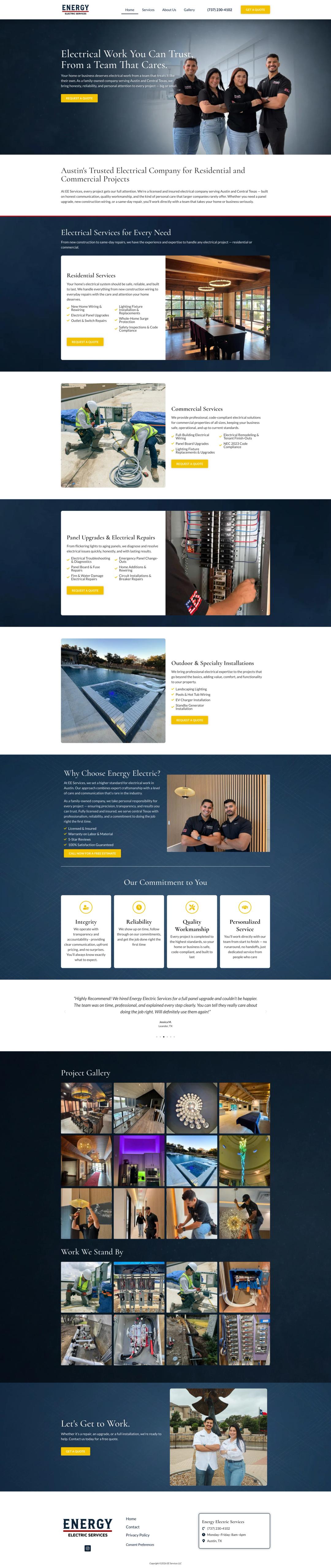
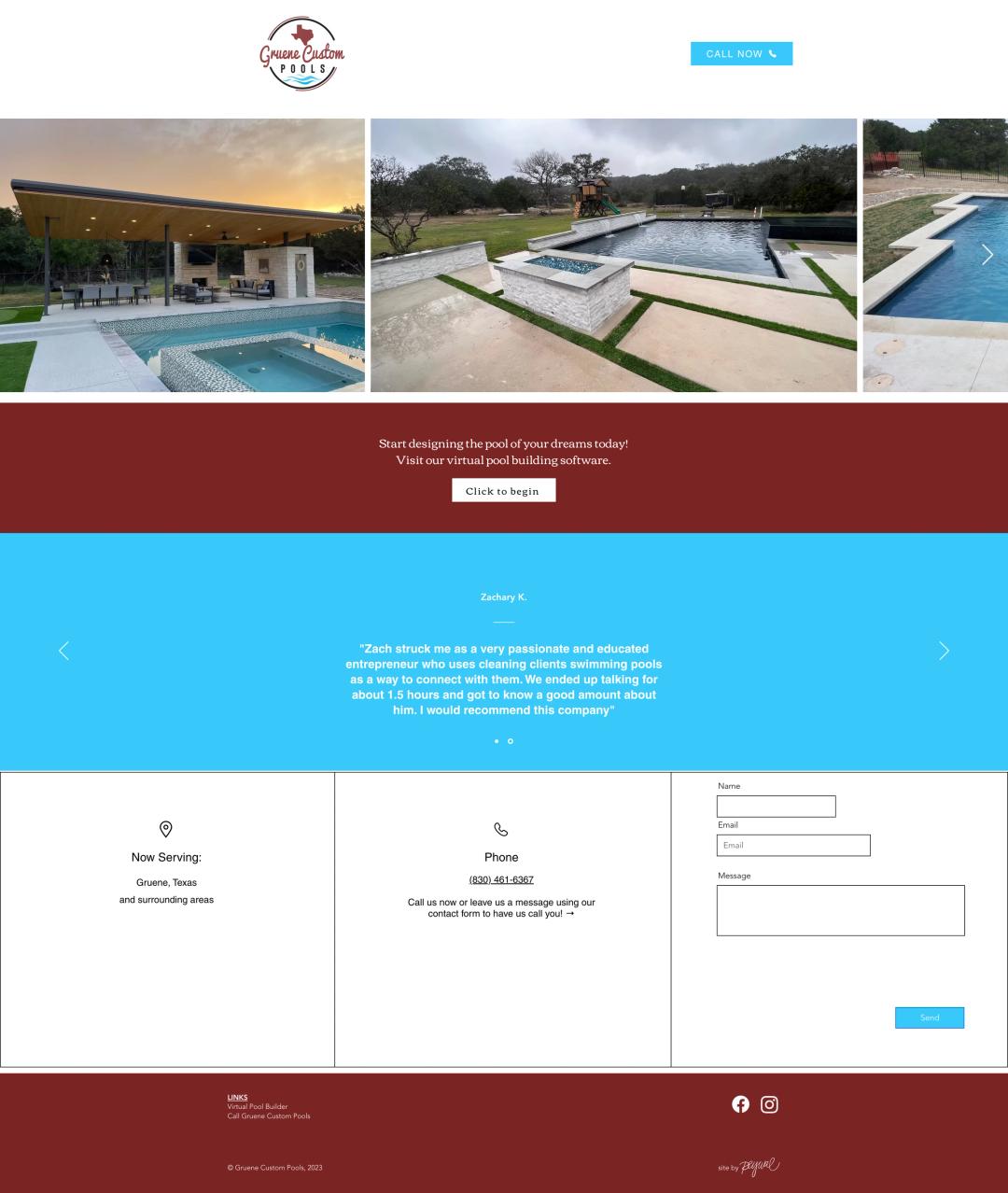
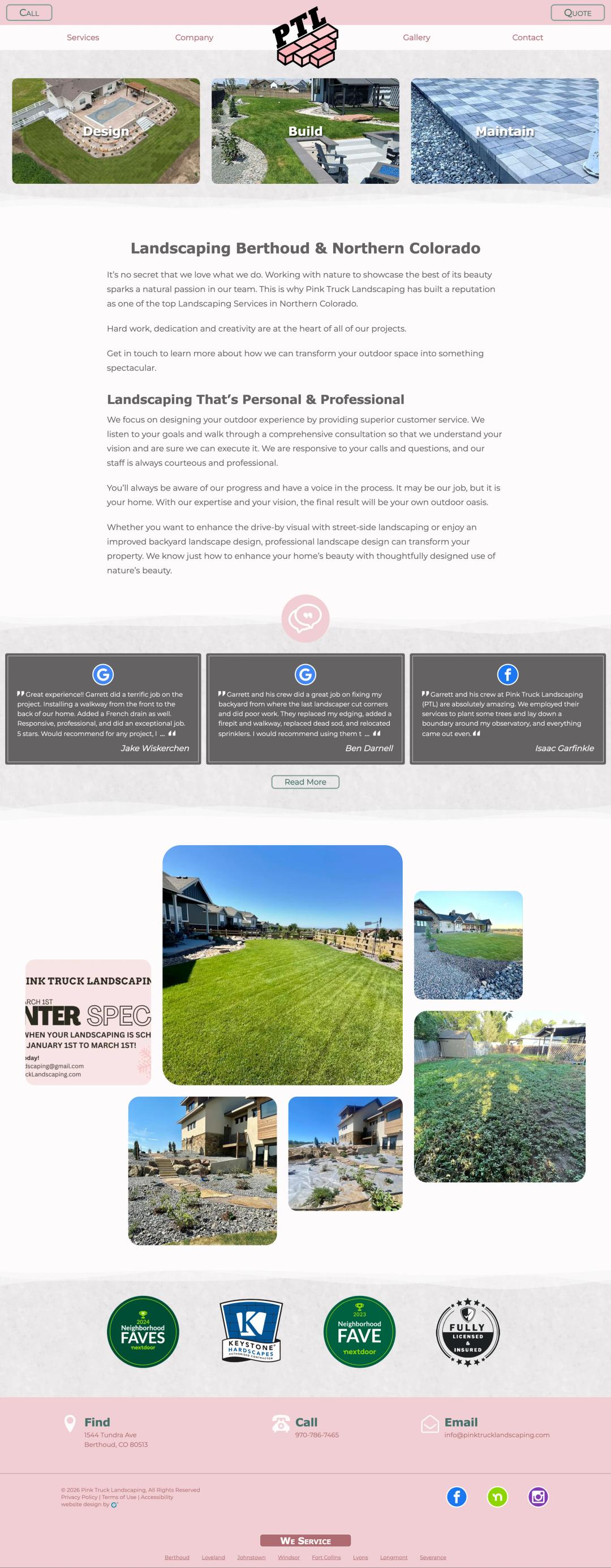
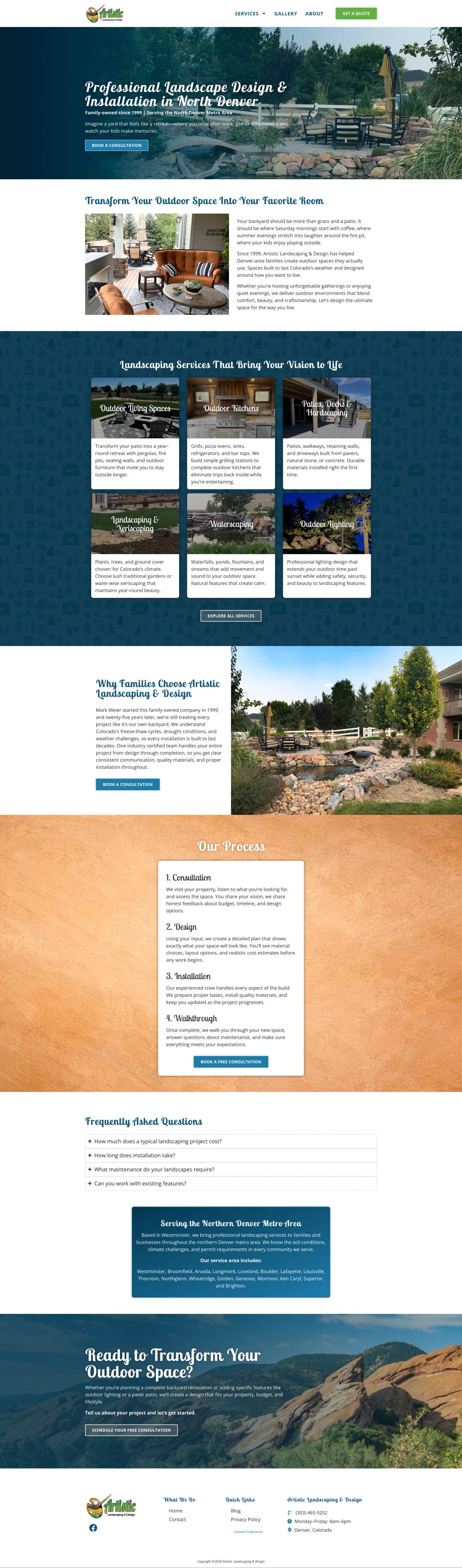
Recent work, before and after
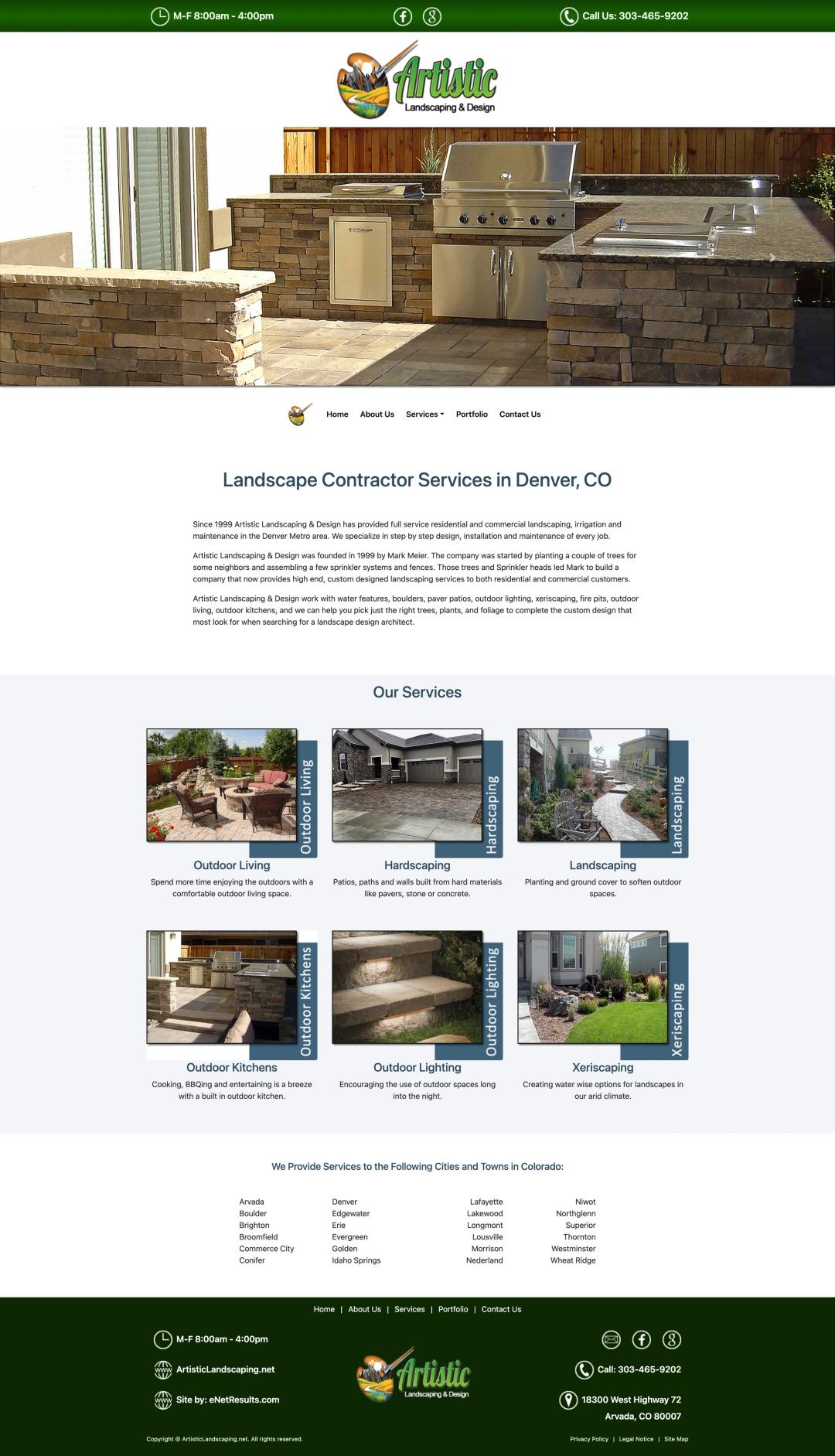
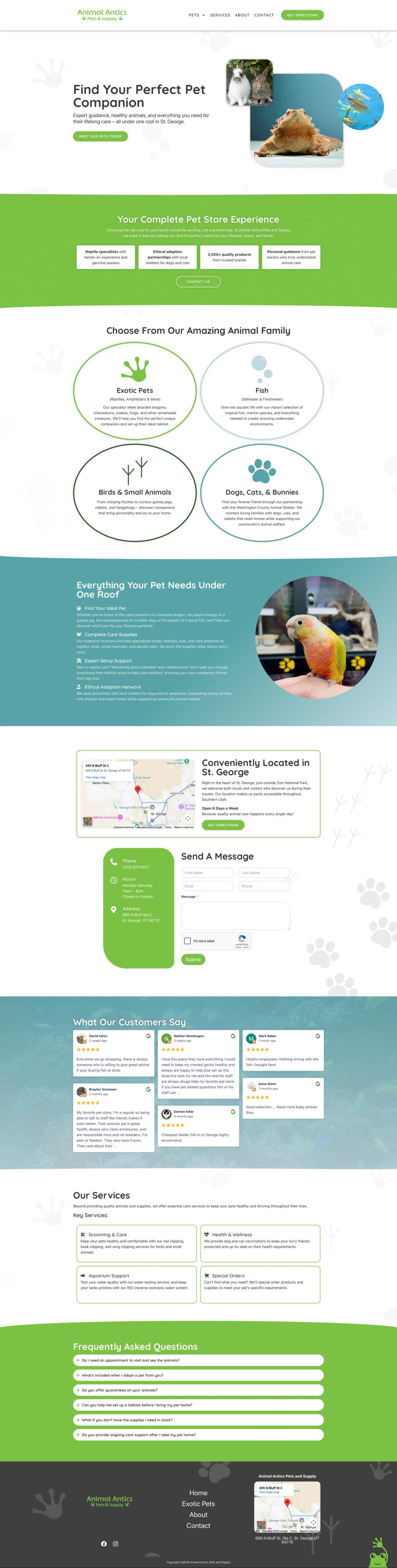
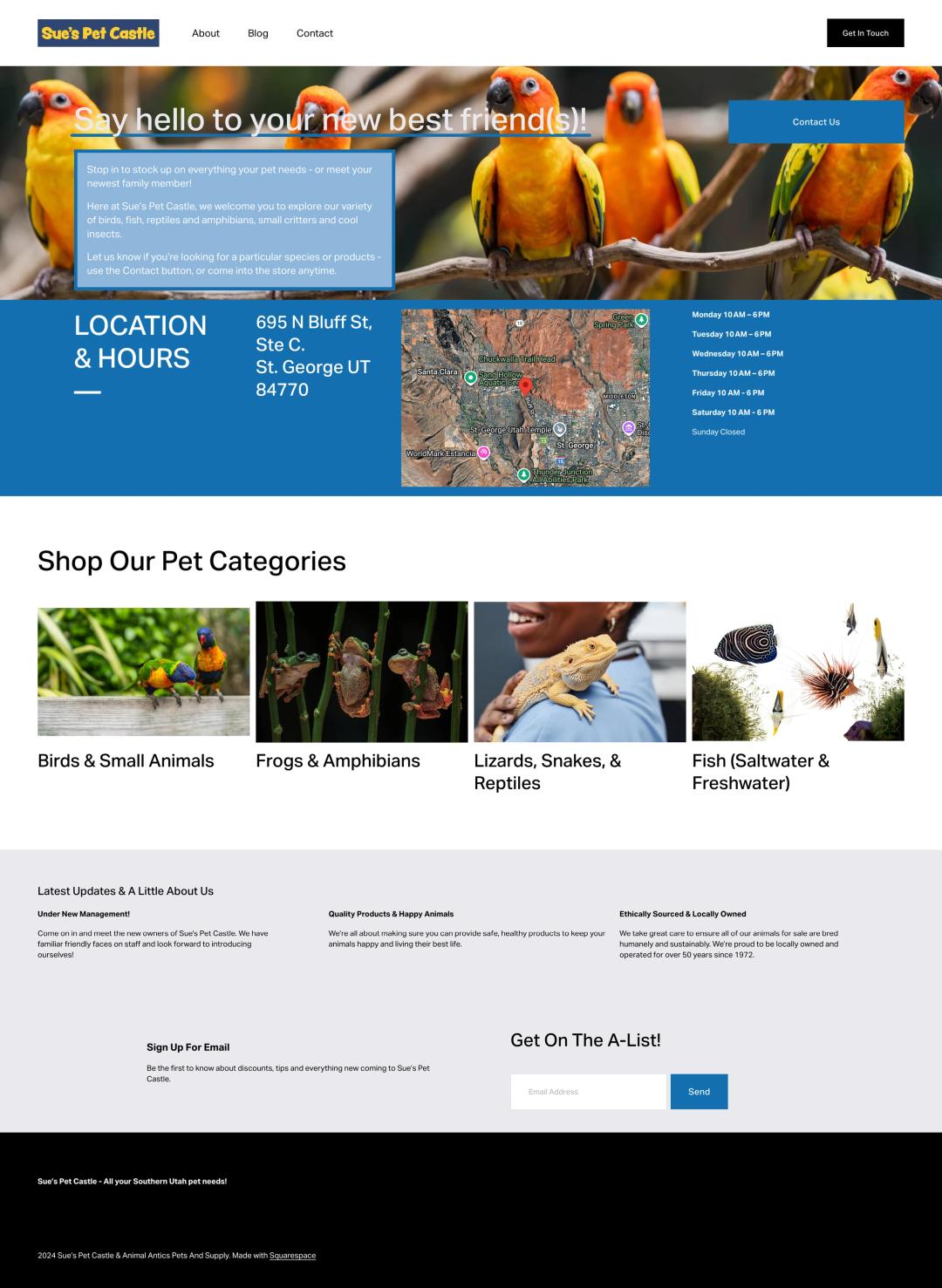
A few of our recent builds, several shown alongside the site they replaced.





Industries
Who we serve
Different businesses, different definitions of a win. We learn yours, then bring what's already working across every industry we serve.





How a Prospect Future build compares
Where a project-based build with us fits, and where a typical web agency or DIY platform might be the right call instead.
| Criteria | Prospect Future | Typical web agency | DIY (Squarespace, Wix, Webflow) |
|---|---|---|---|
| Conversion-focused information architecture | Designed around the buyer's decision flow on every template | Sometimes; depends on the strategist on your project | Template-driven; conversion design is on you |
| Tracking and analytics setup | Tag Manager, GA4, Conversions API, call tracking baked in | Add-on or skipped entirely | Native analytics only; you wire the rest |
| Core Web Vitals and page speed | Built with Core Web Vitals in mind; monitored ongoing | Variable; often degrades after launch | Platform handles speed; constrained by template choices |
| Pricing model | Project-based with optional ongoing care plan | Locked into hosting plus monthly maintenance | Subscription forever |
| Migration from your current site | Full migration with redirect mapping and SEO preservation | Sometimes included; often a separate scope | Mostly a manual rebuild on your part |
| Ongoing care | Optional care plan; you can also self-manage | Often required; bundled with hosting | Platform-handled; you manage content |
Common questions
How long does a website build take?
It depends on the build. Some sites launch quickly and larger ones take longer, depending on scope, the volume of content, and how quickly we can get sign-off at the milestone gates. We'll give you a realistic timeline once we've scoped yours. Migrations follow the same pattern, because the architecture and SEO work is the bulk of the time.
Can you migrate from Squarespace, Wix, Webflow, or GoDaddy?
Yes, regularly. We handle the platform shift end to end including content migration, URL mapping, redirect rules, and SEO-equity preservation. You don't lose rankings during the transition if the migration is done correctly, and we've done it enough times to know where the gotchas hide.
Do we own the site after?
Yes. WordPress is open-source; you own the code, the database, the content, and the hosting. We document handoffs and we don't lock you into our hosting or our care plan. If you bring on an internal team or a different agency later, the site goes with you.
How do you handle SEO during a rebuild?
SEO-equity preservation is part of the build process. We map current URLs, plan redirects, preserve content structure where rankings depend on it, and we rebuild the technical SEO baseline (sitemap, structured data, page speed) so the new site doesn't regress on what was working.
What about hosting?
We recommend a host that fits the scale and uptime needs of the build. We don't resell hosting or take kickbacks; you set up the account directly so you own the relationship. The right host is usually a managed WordPress provider with strong page-speed defaults and active support, not the cheapest shared option.
What's covered in ongoing care?
Plugin and core updates, backups, uptime and security monitoring, performance audits, and a budget for small editorial changes (copy edits, image swaps, new pages built on existing templates). Larger work scoped separately.
Do you do design and brand work too?
Yes, as part of website builds. We rarely take on standalone branding projects, but design and brand decisions made during a website build (typography, color, photography direction, component patterns) carry across the rest of your marketing once the site ships.
Get a website built to perform, not just look good.
A rebuild, a migration, or a fix: get a site that loads fast and converts.